
Facility Crane
This article is timeless and should be accurate for any version of the game.
| “ | The Foreman is an all-purpose, no-frills, easy to assemble crane. Perfect for hauling heavy loads in facilities where loading and offloading is commonplace. | „ |
| — In-game description |
The BMS Foreman Stacker (also known as a Facility Crane) is a player-built facility structure used to move shippables around.
Use
It requires 0.5MW of power to function. It can be entered by pressing Q (default). You aim and move the crane arm with RMB. While the arm is moving, an icon will show on the ground directly below the crane hook. When aiming said icon above a shippable, it will change icon to a set of gears. When using LMB, it will pick up the shippable, which then can be dropped at another spot or into a shipping vehicle, like the Flatbed Truck or Freighter.
You can rotate the crane hook and what it's lifting using A and D.
The arm's range is a little over 20m from the crane's center.
Construction
It can be built by players on Foundations using a Construction Vehicle. It can't be built less than 10m from another Facility Crane.
Tier 2 Facilities must be fully researched in the Weapons and Structure  Tech Tree in order to be constructed.
Interactions
- You can access its interface when on foot by pressing
E. - The original builder can instantly demolish it
 if it was built less than 28 days ago.
 - It can be reserved for a Squad
 to prevent non-members from modifying it.
 - It is immune to Friendly Fire but it can be flagged for "Disruptive Structure Placement"
 to remove the immunity (5 "votes" needed).
 - You can view the Action Logs
 to check the modifications done to it.


Trivia
- When the Facility Crane was introduced in Update 1.50 ('Inferno'), it had the exact same model as the Stationary Crane, which is attached to world structures, such as the Refinery, Seaport, and the Storage Depot.
- The model was updated in Update 1.51, which added a metal skirt around the base of the structure, which was added to differentiate it.
Gallery
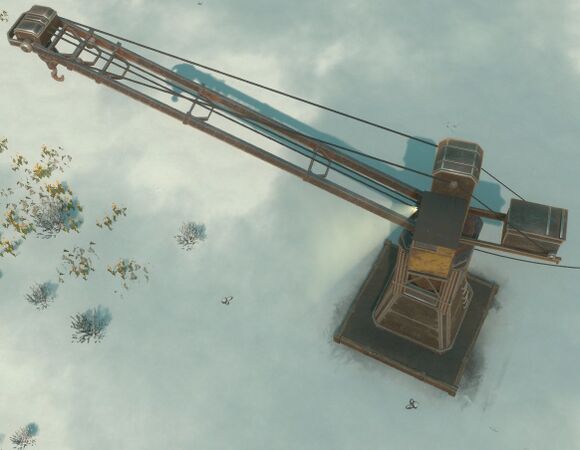
A powered Facility Crane
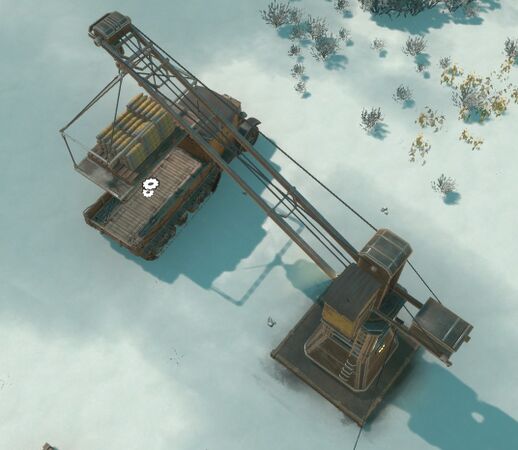
A Facility Crane depositing a Material Pallet of 120mm shells on a Flatbed Truck


| ||||||||||||||||||||||||||||||||||


| |||||||||||||||||||||||||||||||||||||||||||||||||||||||||||||||||||||||||||||||||||||||||||||||||||
| ||||||||||||||||||||||||||||||||||||||||||||||||||


| |||||||||||||||||||||||||||||||||||||||||||||||||||||||||||||||||||||||||||||||||||||||||||||||||||