
Hammer
This article is timeless and should be accurate for any version of the game.
| “ | A tool used to build structures and assemble materials. | „ |
| — In-game description |
The Hammer is a multi-purpose basic tool used in the harvesting of resources, and the construction and repairing of vehicles and structures. Unlike most tools, every time a player spawns, they starts out with it.
Modes
It has two separate modes, 'Build/Gather Mode' and 'Upgrade Mode'. You can switch mode by pressing F. The current mode is displayed in the top left corner when holding the hammer.
Uses
It has multiple uses, all of them not combat-related:
Resource Gathering
The hammer can be used to extract Salvage from a Salvage Field, and Coal from a Coal Field. Simply hit the resource nodes by pressing or holding Left Click. It's less efficient than a Sledge Hammer or Harvester.
It cannot mine Components or Sulfur.
Building
It can be used to build many types of structures. Open the building menu with B and put your cursor on each option to see whether they require a hammer.
It is also used to build the blueprints that certain production structures (Garage, Shipyard, Construction Yard) spawn via their own selection menu.
Repairing
It can also repair structures and vehicles. Simply hit them with your hammer with Basic Materials in your inventory. All repairs cost Basic Materials.
Rebuilding
In 'Upgrade Mode' it is used to rebuild destroyed Bridges, Coastal Guns, and Shipyards. Aim at the destroyed structure and press E then hold Left Click with the required materials on you.
Upgrading
In 'Upgrade Mode' it is used to upgrade certain structures. Aim at a structure and press E.
Data Gathering
The hammer's upgrade mode also displays statistics when aiming at structures like Health, Faction, the original builder of the structure, power produced or consumed. For Bunkers, it also displays which squad if any has reserved them.
Trivia
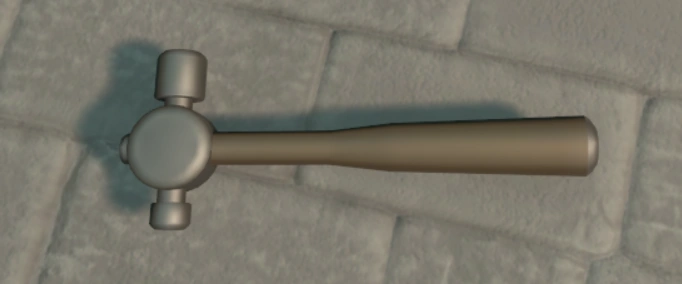
- The Hammer's design is loosely based off of a Ball-peen hammer, used for metalworking
Gallery
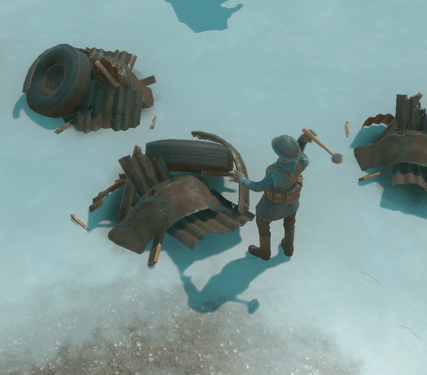
A Warden soldier hitting a Salvage node with a hammer.
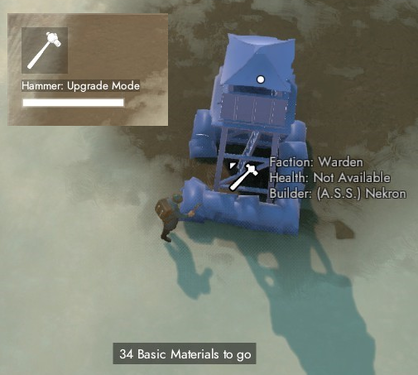
Hovering over a structure with the cursor, while the upgrade mode is on, shows you who placed it.
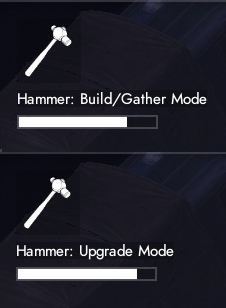
The two modes of the hammer.


| |||||||||||||||||||||||||||||||||||||||||||||||||||||||||||||||||||||||||||||||||||||||||||||||||||||||||||


